SMS Consent & Opt-In Flow
ByePhone by Atomic Enterprises, Inc.
ByePhone is an AI-powered phone calling service operated by Atomic Enterprises, Inc. Users sign up with their email address via Google OAuth. A phone number is never required to create an account or use the core product.
SMS messaging is used only to send call summaries and call activity updates to users who have explicitly opted in. SMS consent is completely optional and is not a condition of using the service.
The SMS opt-in step occurs after the user has already authenticated with their email, described their call task, and provided all call details. It is a clearly labeled optional step in the call creation flow.
Consent Language
“I agree to receive SMS notifications from ByePhone by Atomic Enterprises, Inc. regarding call summaries and call activity updates. Message frequency varies. Message and data rates may apply. Reply STOP to opt out or HELP for help.”
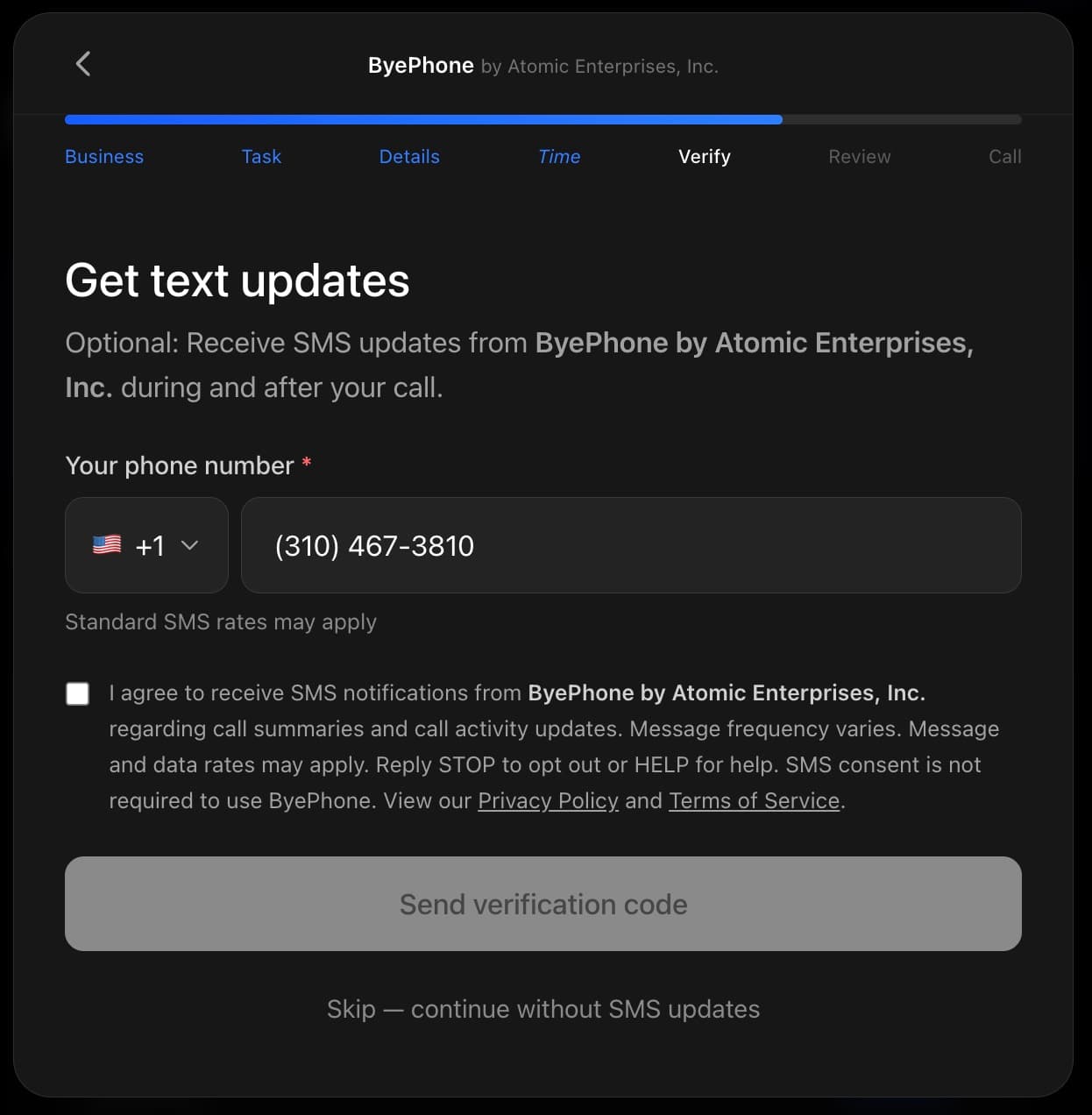
This consent language appears as a checkbox next to the phone number entry field. The user must check the box before a verification code is sent. Links to our Privacy Policy and Terms of Service are displayed alongside the consent text.
Key Compliance Points
- 1.Users create accounts with email only (Google OAuth). No phone number is collected during signup.
- 2.SMS opt-in is a separate, optional step that occurs during call creation, not during account creation.
- 3.The opt-in step clearly displays the brand name: ByePhone by Atomic Enterprises, Inc.
- 4.Users must check a consent checkbox with the full disclosure before a verification code is sent.
- 5.A “Skip” button is prominently displayed, allowing users to proceed without SMS updates.
- 6.SMS consent is not required to use ByePhone. The service works fully without it.
- 7.Users can reply STOP at any time to opt out or HELP for assistance.
Opt-In Flow Screenshots
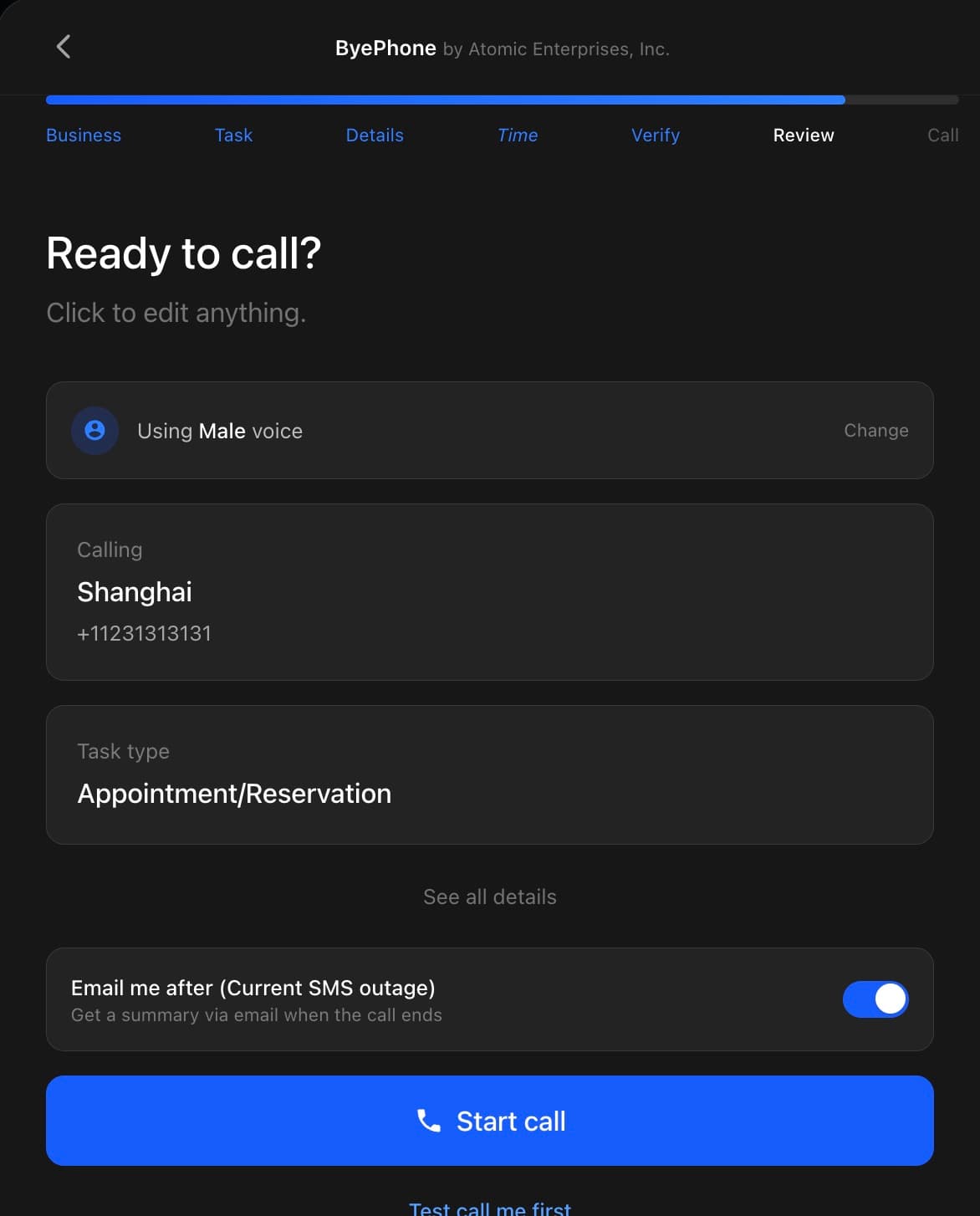
The following screenshots show the complete call creation flow, demonstrating that SMS consent is collected only at Step 4 and is clearly optional.
Step 1 — Describe the task
After signing in with their email, the user describes who they are calling and what they need done. No phone number is collected at this stage.
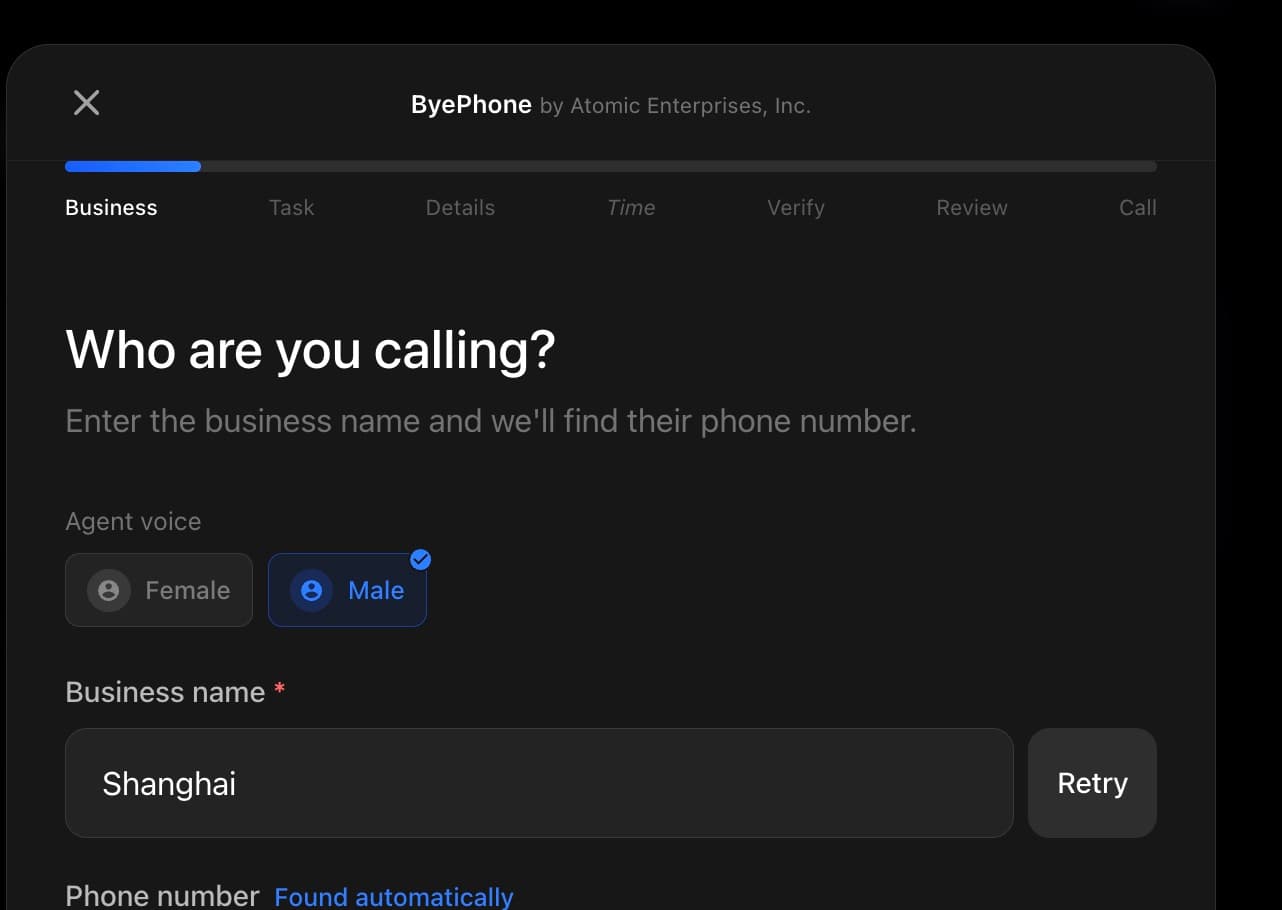
Step 2 — Specify booking details
The user provides details about their request (e.g., appointment type). Still no phone number collected.
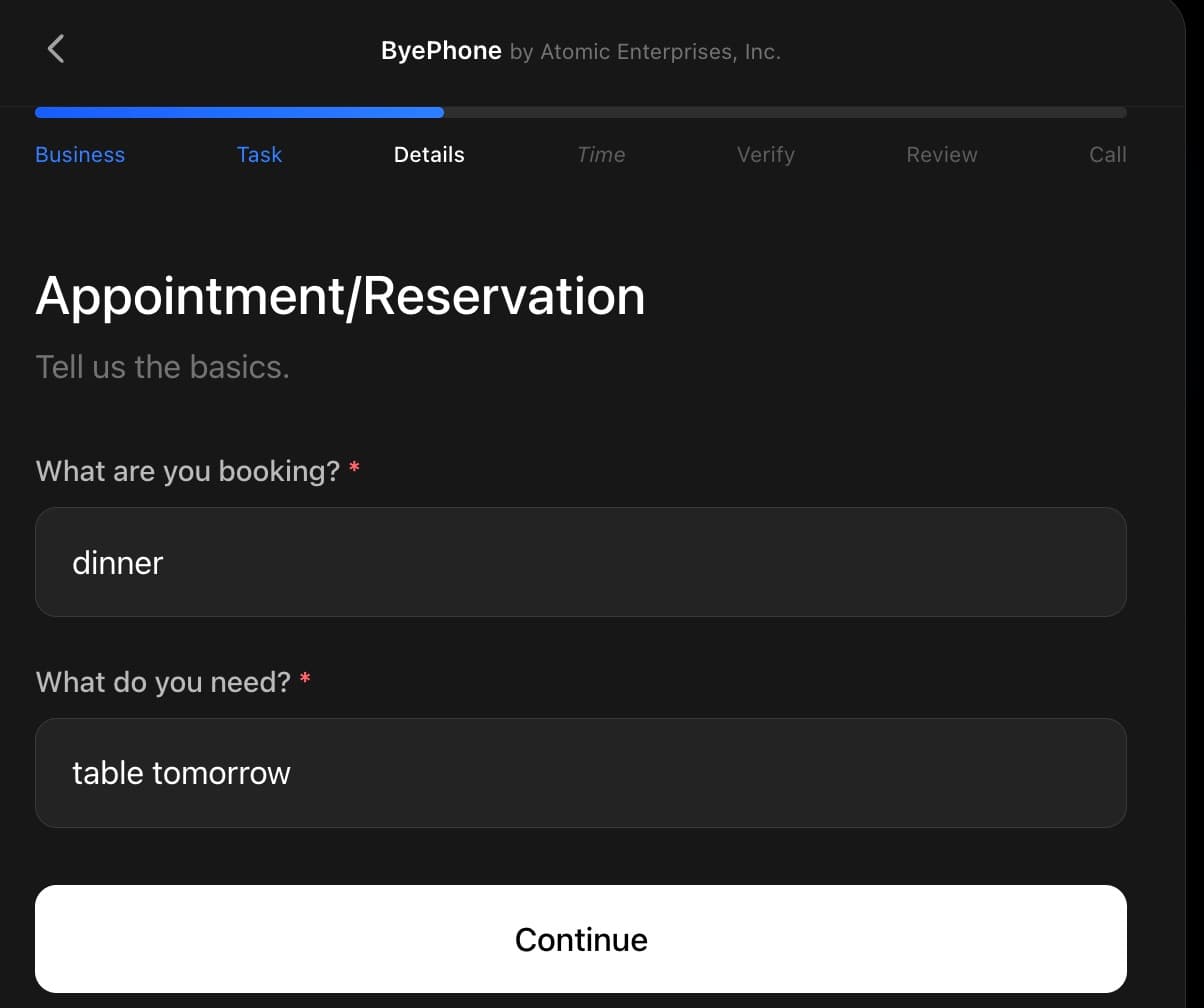
Step 3 — Choose timing preferences
The user selects their preferred date and time. No phone number or SMS consent at this step.
Step 4 — Optional SMS opt-in
The user is presented with an optional SMS consent step. The page clearly states "Optional" and displays the full consent language: "I agree to receive SMS notifications from ByePhone by Atomic Enterprises, Inc. regarding call summaries and call activity updates. Message frequency varies. Message and data rates may apply. Reply STOP to opt out or HELP for help." The user must check the consent checkbox before a verification code is sent. A "Skip — continue without SMS updates" button is prominently displayed, making it clear SMS consent is NOT required to use ByePhone.
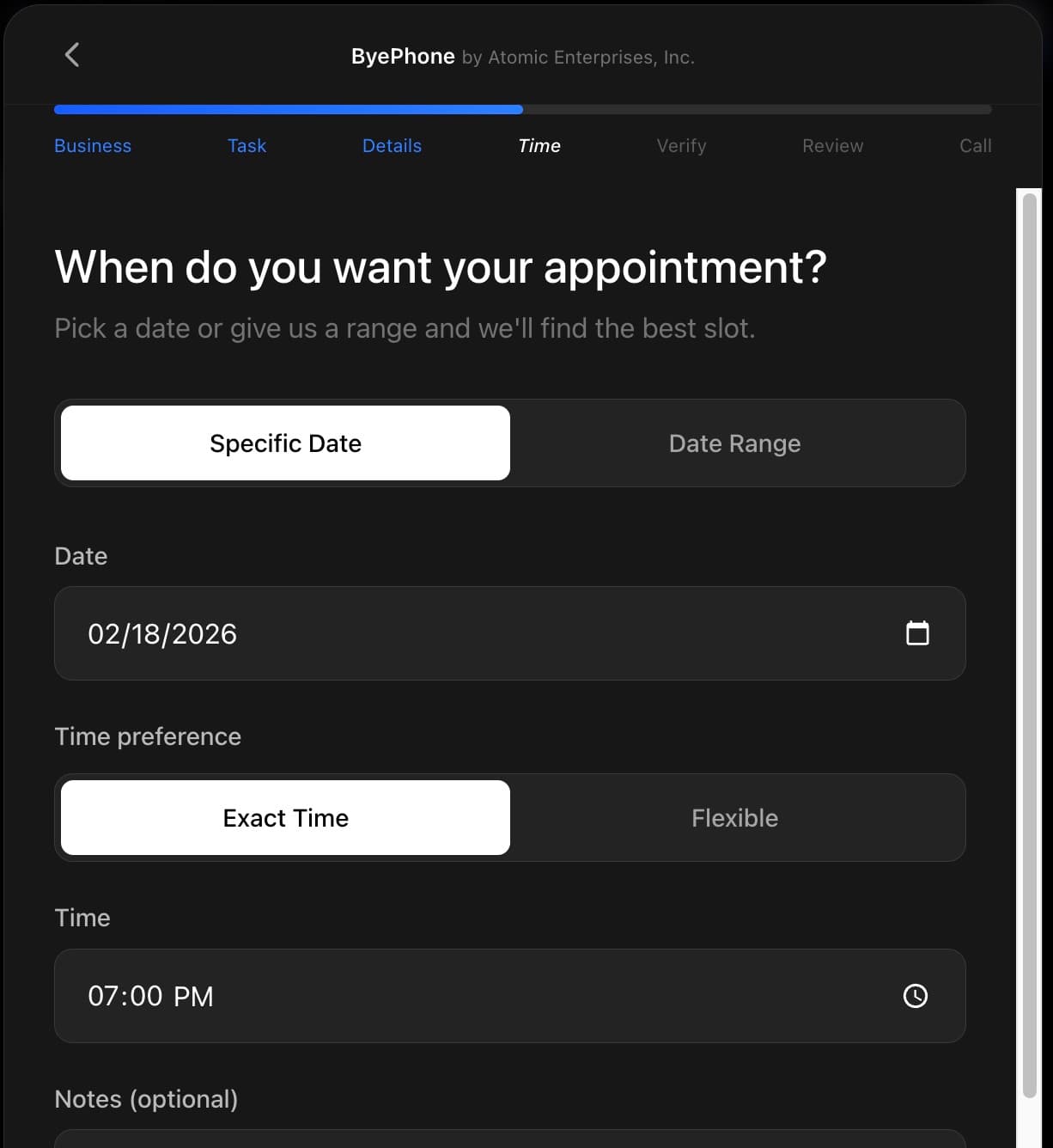
Step 5 — Review and start call
The user reviews all details and starts the call. The call proceeds regardless of whether the user opted in to SMS updates.